Table of Contents

Building a gaming PC isn’t just about choosing the fastest processor or the most powerful graphics card. Choosing the right CPU cooler is equally important for keeping temperatures under control, reducing fan noise and allowing your processor to maintain its boost speeds during gaming and demanding workloads. Whether you’re looking for the best CPU cooler for gaming or comparing a traditional CPU air cooler with an AIO liquid cooler, the right cooling solution can make a noticeable difference to your PC’s performance and noise levels.

The latest AMD Ryzen 9000 series and Intel Core Ultra processors offer impressive performance, but demanding workloads can still generate considerable heat, especially when running at higher power limits. While some entry-level processors include a stock cooler, upgrading to an aftermarket CPU cooler can provide better thermal performance, quieter operation and additional cooling headroom. From affordable dual-tower air coolers to powerful 240mm and 360mm AIO liquid coolers, there are plenty of options when choosing between the best CPU air coolers and liquid cooling solutions.

Whether you’re building your first gaming PC or upgrading an existing system, this guide covers the best CPU cooler 2026 recommendations for gaming and productivity. We’ll compare popular air and liquid cooling solutions, including high-performance CPU air coolers, the best AIO coolers and 360mm liquid coolers, to help you find the right CPU cooler for your gaming PC and budget.

Quick Answer: What Is the Best CPU Cooler in 2026?

The best CPU cooler depends on your processor, workload and budget. For most gaming PCs, the Thermalright Phantom Spirit 120 SE is an excellent air cooler thanks to its strong cooling performance and affordable price. The Noctua NH-D15 G2 is a premium alternative, while the ARCTIC Liquid Freezer III Pro 360 is a great choice for high-performance systems that need additional cooling capacity. If you prefer a cooler with a built-in display, the TRYX TURRIS 620 offers a distinctive LCD-equipped air cooling design.

Why Your CPU Cooler Matters

Modern processors automatically increase their clock speeds when thermal and power conditions allow. If your CPU gets too hot, it may reduce its boost frequency to protect itself. This process, known as thermal throttling, can affect gaming performance and slow down demanding productivity tasks.

A good CPU cooler helps keep CPU temperatures under control, allowing your processor to maintain higher boost clocks for longer. It can also reduce fan noise by preventing the cooling fans from constantly running at high speeds. Choosing the right CPU cooling solution is especially useful for systems with powerful processors or limited airflow.

For gamers, a quality CPU cooler for a gaming PC helps maintain consistent performance during long gaming sessions. Content creators can also benefit from better temperature control when rendering videos, editing large projects or running demanding applications. The right CPU cooler won’t automatically increase your processor’s performance, but it helps prevent excessive heat from limiting what your CPU can deliver.

Air Cooler vs Liquid Cooler: Which Is Better?

One of the biggest decisions when choosing a CPU cooler is whether to go with a traditional CPU air cooler or an all-in-one (AIO) CPU water cooler. Both cooling solutions have their advantages, depending on your processor, PC case, budget and cooling requirements.

Air coolers remain a popular choice because they are affordable, reliable and require almost no maintenance. Premium dual-tower CPU air coolers can rival many AIO liquid coolers while costing significantly less. They are also generally easier to maintain and don’t have pumps that may eventually wear out.

Liquid coolers, also known as AIO water coolers, offer strong cooling performance for high-end processors, particularly under sustained heavy workloads. They can also create a cleaner-looking PC build since the bulky heatsink is replaced by a radiator mounted elsewhere in the case, with only the pump block sitting above the CPU.

For most gamers, a high-quality CPU air cooler provides more than enough cooling for a gaming PC. Unless you’re using a Ryzen 9 or Intel Core Ultra 9 processor for intensive workloads, an air cooler is often the better value. A 240mm or 360mm AIO liquid cooler is worth considering if you want additional cooling headroom, lower temperatures under heavy loads or a cleaner PC build.

Best CPU Coolers in 2026

Choosing the best CPU cooler in 2026 doesn’t have to be complicated. We’ve selected our top recommendations based on cooling performance, noise levels, build quality, CPU compatibility and overall value. Whether you’re looking for the best CPU air cooler for a budget gaming PC or the best AIO cooler for a high-performance gaming rig, these are the top CPU cooling solutions worth considering.

From affordable dual-tower air coolers to premium 240mm and 360mm AIO liquid coolers, our recommendations cover different budgets, processor requirements and PC builds. Each option offers a different balance of cooling performance, noise and design, making it easier to find the right CPU cooler for your setup.

1. Best Overall CPU Cooler – Thermalright Phantom Spirit 120 SE

Thermalright Phantom Spirit 120SE CPU Air Cooler, 7 Heat Pipes CPU Cooler | Dual 120mm TL-C12B V2 PWM Fans, AGHP 4.0 Technology,S-FDB Bearing, for AM4/AM5/Intel lga1851/1700/1150/1151/1200, PC Cooling
  • [Brand Overview]Thermalright is a Taiwanese brand with more than 20 years of development history. It has a certain popularity in the domestic and international markets and has a decisive influence in the cooler market. We have been focusing on the...
  • [AGHP technique]7x6mm heatpipe with AGHP upgraded 4th generation technology, the Inverse gravity effect caused by vertical / horizontal orientation, cpu cooler TDP is 105W to 280W. Up to 20000 hours of industrial service life, S-FDB bearings ensure long...

Best Overall CPU Cooler

Thermalright has become one of the biggest surprises in recent years. The Phantom Spirit 120 SE delivers cooling performance that rivals much more expensive competitors while remaining one of the best values on the market.

Its dual-tower design and seven heat pipes provide excellent thermal performance for modern gaming CPUs. Even processors like the Ryzen 7 9800X3D can run comfortably under this cooler without excessive fan noise.

If you’re building a gaming PC in 2026, this is the easiest recommendation for most people.

Best for: Most gamers

Pros

  • Outstanding price-to-performance
  • Excellent cooling
  • Quiet under gaming loads
  • Supports AMD AM5 and Intel LGA1851

2. Best Premium Air Cooler – Noctua NH-D15 G2 Dual Fan CPU Cooler

Noctua NH-D15 G2 LBC, Quiet High-Performance Dual Tower CPU Cooler | 168mm Height, Ultimate Low-Noise Cooling, 8 Heatpipes, AMD AM5/AM4 Specific Low Base Convexity, Dual 140mm Fans
  • Further improved second generation of the iconic, award-winning NH-D15: Even better quiet cooling performance thanks to 8 heatpipes, 20% more surface area and novel NF-A14x25r G2 fans!
  • Specialised LBC (Low Base Convexity) version for optimal contact quality on relatively flat CPUs such as AMD AM5 (even without offset mounting), AM4 or Intel LGA2066 (optional NM-i20xx kit required), deluxe choice for Ryzen 9950X, 9900X, 9700X, 9600X...

Best Premium Air Cooler

The Noctua NH-D15 has been one of the world’s most respected CPU coolers for years, and the second-generation model improves on an already excellent design.

Cooling performance is among the best available from any air cooler, while Noctua’s premium fans remain exceptionally quiet. The build quality is outstanding, and the mounting system continues to be one of the easiest to install.

Although it’s expensive, this cooler can easily last through several PC upgrades.

Best for: Enthusiast gaming PCs

Pros

  • Premium build quality
  • Extremely quiet
  • Outstanding cooling
  • Long lifespan

3. Best Budget CPU Cooler – Thermalright Peerless Assassin 120 SE

Thermalright Peerless Assassin 120 SE V2 CPU Cooler, Dual Tower, 1850RPM | 6 Heat Pipes, Dual 120mm PWM Fans, for AMD AM4/AM5 and Intel LGA1851/1700/1200/115X
  • V2 Performance Upgrade: Thermalright Peerless Assassin 120 SE V2 is the upgraded version of the Peerless Assassin 120 SE, combining a dual-tower heatsink with a higher-airflow fan system to provide extra cooling headroom for gaming, content creation, and...
  • Product Specifications: The cooler measures 125(L) x 135(W) x 155(H) mm (4.92 x 5.31 x 6.1 inches); the front fan can be raised to clear taller RAM, which increases the overall cooler height, so check both RAM height and the maximum CPU cooler height...

Best Budget CPU Cooler

Not everyone needs to spend hundreds on CPU cooling. The Peerless Assassin 120 SE proves that affordable coolers can still deliver impressive performance.

It handles mainstream gaming processors with ease and remains one of the best upgrades for builders replacing a noisy stock cooler.

If you’re building a budget gaming PC, few coolers offer better value.

Best for: Budget gaming builds

Pros

  • Excellent value
  • Quiet operation
  • Dual-tower design
  • Easy installation

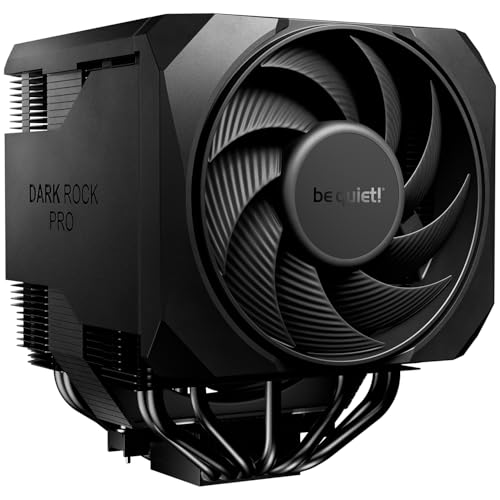
4. High-end Air Cooler - Dark Rock Pro 6 Air CPU Cooler

Sale
be quiet! Dark Rock Pro 6 Air CPU Cooler, 7 Heatpipes, 2 PWM Fans, 300W TDP | Semi-Passive Mode, High RAM and VRM Cooler Compatibility, 2 Silent Wings 135mm Fans, For Overclocking, 2 Mode Speed Switch
  • Active mode switch lets you select maximum cooling performance or semi-passive operation with full fan stop below 40% PWM. Both modes deliver ultra-quiet, dependable operation for gaming rigs, workstations, and demanding systems
  • 7 high-performance copper heat pipes combined with an optimized heatsink and refined fans ensure exceptional heat dissipation. This high-end air cooler keeps processors at peak performance, even in heavily overclocked gaming and workstation builds.

Best Air Cooler

The Dark Rock Pro 6 CPU air cooler combines excellent cooling with a modern design that includes a high-end air cooler to keep processors at peak performance.

Beyond its appearance, it performs exceptionally well and is capable of cooling powerful gaming processors without excessive noise.

It’s a great option for builders who want both style and performance.

Best for: Gaming PCs

Pros

  • 7 quality copper hear pipes
  • Strong cooling performance
  • Premium appearance
  • Quiet fans

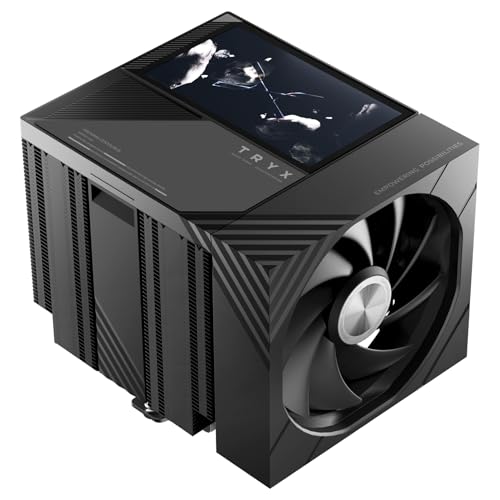
5. Best LCD Air Cooler - TRYX TURRIS 620 CPU Cooler 5.0" HP IPS Customizable Screen

Sale
TRYX TURRIS 620 CPU Cooler 5.0" HP IPS Customizable Screen 280w TDP | 720P, 1280×720 resolution, Dual Tower, Reflow Soldering, Rail-Mounted ROTA Fan, KANALI Eco, Intel LGA1851/1700 & AMD AM5
  • 5.0’’ HD IPS DISPLAY: A magnetic visual centerpiece for your build, TRYX TURRIS 620 CPU cooler features a sharp 5.0” IPS screen with 1280×720 resolution. Display custom videos, GIFs, images, or real-time system data with vivid color and wide...
  • GIPHY AVAILABILITY: TRYX KANALI software builds native connection with GIPHY. Users gain access to thousands of GIF resources, content browsing and screen switching become completely effortless. No local downloading or manual import is needed, bringing...

Best CPU Cooler With 5.0″ Screen

The TRYX TURRIS 620 is a dual-tower CPU air cooler that combines strong cooling performance with a large 5-inch HD IPS display. Its 1280 × 720 screen supports custom videos, GIFs, images, and real-time system monitoring through TRYX KANALI software, including direct access to GIPHY.

For cooling, it features six copper heat pipes, a dual-tower heatsink, and a micro-convex cold plate rated for up to 280W TDP. Its rail-mounted fans offer quieter operation, with noise levels rated at 32.5 dBA. The cooler also supports Intel LGA1851/1700 and AMD AM4/AM5 sockets, making it a suitable option for gaming PCs and custom builds.

Best for: High-performance gaming and content creation

Pros

  • Large 5-inch HD IPS display with multimedia customization.
  • GIPHY support for easy GIF access.
  • Dual-tower design with six copper heat pipes.
  • Up to 280W TDP cooling capacity.
  • Quiet rail-mounted fans with reduced vibration.
  • 55mm RAM clearance.
  • Supports the latest Intel and AMD sockets.
  • Comes with a 6-year product warranty.

6. Best 360mm AIO Cooler - ARCTIC Liquid Freezer III Pro 360

ARCTIC Liquid Freezer III Pro 360 A-RGB - AIO CPU Cooler, Water Cooling | Cooler For LGA1851, LGA1700, AM4, AM5.
  • CONTACT FRAME FOR INTEL LGA1851 | LGA1700: Optimized contact pressure distribution for longer CPU life and better heat dissipation
  • ARCTIC's P12 PRO FAN: More power at any speed - more powerful and quieter than the P12, especially at low speeds. Higher maximum speed for optimal cooling performance under high load

Best 360mm AIO Cooler

The ARCTIC Liquid Freezer III Pro 360 A-RGB is a high-performance 360mm AIO liquid cooler designed for gaming PCs and demanding desktop workloads. Its large 360mm radiator and three 120mm P12 PRO A-RGB fans provide substantial heat dissipation, making it a strong option for high-end AMD Ryzen and Intel processors. The integrated A-RGB lighting also adds a clean look to custom gaming PC builds.

One of its standout features is the integrated VRM fan, which helps cool the motherboard’s voltage regulator area around the CPU socket. It also features a PWM-controlled pump, a contact frame for compatible Intel processors and pre-installed fans for easier installation. With support for AMD AM5/AM4 and Intel LGA1851/1700 sockets, it’s a compelling choice for builders looking for a powerful 360mm CPU water cooler.

Best for: High-performance gaming PCs and demanding workloads

Pros

  • Large 360mm radiator for strong heat dissipation.
  • Three 120mm P12 PRO A-RGB fans.
  • Integrated VRM fan for additional motherboard cooling.
  • PWM-controlled pump and fans.
  • A-RGB lighting for customised PC builds.
  • Includes an Intel contact frame.
  • Pre-installed fans for easier installation.
  • Supports AMD AM5/AM4 and Intel LGA1851/1700 sockets.

Product Comparison

CPU coolerCategoryBest for
Thermalright Phantom Spirit 120 SEAirOverall gaming
Noctua NH-D15 G2AirPremium cooling
Thermalright Peerless Assassin 120 SEAirBudget builds
be quiet! Dark Rock Pro 6AirHigh-end air cooling
TRYX TURRIS 620Air with LCDLCD display
ARCTIC Liquid Freezer III Pro 360360mm AIOHigh-performance systems

Liquid Coolers Worth Considering

NZXT Kraken Elite 360 RGB - 360mm AIO CPU Cooler, LCD - Black | 360mm RGB AIO with 2.36-inch LCD and F360 RGB Core fan. Flagship display cooling with synced RGB via CAM.
  • SUPERIOR COOLING: The custom-designed NZXT Turbine pump efficiently cools even the most heat-prone CPUs with its high flow rate and head pressure, resulting in a 10%* performance boost with less noise.
  • BIGGER, BOLDER DISPLAY: Enjoy stunning visuals on the large 2.72-inch IPS LCD featuring crisp 640 x 640 resolution, smooth 60 Hz refresh rate, ultra-bright 690 cd/m² backlight, vibrant 24-bit color, and wide viewing angles.
Sale
ASUS ROG Ryujin III ARGB Extreme 360mm AMD/Intel Gaming Liquid CPU Cooler | 360mm AIO, Asetek Gen8 V2 Pump, Magnetic ARGB Fans, 3.5" 640x480 LCD, VRM Fan, Intel LGA1700/1851 & AMD AM4/AM5
  • The latest Asetek Emma Gen8 V2 pump with a 3-phase motor delivers ultimate cooling performance, higher flow and lower impedance
  • Thickened ARGB fans for high airflow and static pressure with noise optimization, quickly snapping together with special magnets to streamline installation
Sale
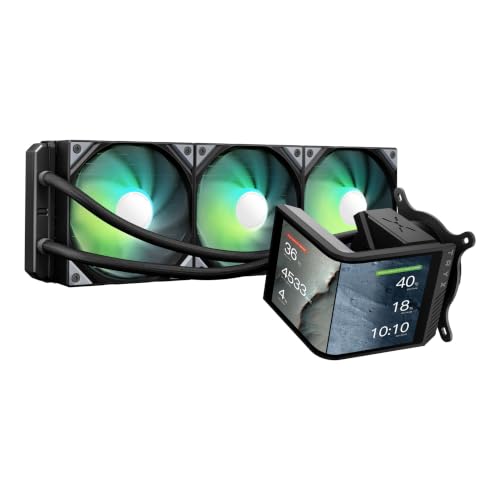
TRYX Panorama SE 360mm AIO Curved Screen GIPHY Built-in Asetek 280w TDP | 6.67'' AMOLED, 2K 60Hz, Rotatable, KANALI Highly Customizable, ROTA ARGB Fans, Whisper Quiet, Intel LGA 1851/1700 AMD AM5/AM4
  • ROTATABLE 6.67'' CURVED SCREEN: TRYX PANORAMA SE 360mm AIO adopts a 6.67 inch AMOLED curved screen. It features a 60Hz refresh rate, 2K resolution and 400nit brightness to deliver anamorphic viewing effects. Compared with mainstream LCD panels on the...
  • ASETEK COOLING SOLUTION: TRYX PANORAMA SE 360mm AIO cooler adopts Asetek Adela professional cooling system. It copes well with heavy CPU loads including video encoding, AI processing, software compilation and gaming. Equipped with a 27mm high-density fin...

CPU Coolers with LCD Display

If you’re building a premium gaming PC, a CPU cooler with an LCD display can add a distinctive look to your setup. These coolers feature integrated screens that can display CPU temperatures, fan speeds, system information, custom images and animated GIFs. They’re especially popular for showcase PC builds with tempered glass side panels, where the LCD screen becomes part of the overall design.

Most LCD AIO coolers combine liquid cooling performance with customisable display features. Depending on the model, you can monitor system temperatures, personalise the screen with your favourite images or GIFs, and give your gaming PC a more personalised appearance.

Popular options include:

  • NZXT Kraken Elite 360 RGB
  • ASUS ROG Ryujin III 360 ARGB Extreme
  • Corsair iCUE LINK LCD Series
  • MSI MEG CORELIQUID S Series
  • DeepCool LQ Ultra Series

My Experience with LCD CPU Coolers

LovingCool DP-01 AIO Cooler Review

I’ve recently upgraded my own gaming PC from a traditional dual-tower air cooler to a 240mm AIO cooler with a 4-inch LCD display. The biggest attraction wasn’t necessarily better cooling performance, but the ability to customise the screen with images, animated GIFs and system information. If you’re interested in this type of setup, you can read my LovingCool DP-01 AIO Cooler review for a closer look at the installation and LCD customisation experience.

Best ARGB CPU Coolers

For builders who love custom PC lighting, an ARGB CPU cooler adds another way to personalise a gaming PC. Addressable RGB lighting lets you customise colours, patterns and lighting effects, with many models supporting synchronisation through compatible motherboards and RGB software. You can match your CPU cooler’s lighting with your RAM, case fans, graphics card and other components for a coordinated PC build.

Whether you prefer a traditional air cooler or an ARGB AIO liquid cooler, there are plenty of options with colourful lighting and different cooling designs. Some models feature illuminated fan blades, RGB pump covers or lighting around the heatsink, giving your PC a more distinctive appearance.

Recommended ARGB CPU coolers include:

  • DeepCool AK620 Digital
  • Thermalright Frozen Prism
  • Cooler Master Hyper 622 Halo
  • Corsair iCUE LINK TITAN RX RGB
  • ARCTIC Liquid Freezer III A-RGB
  • Thermalright Aqua Elite V3 ARGB

How to Choose the Right CPU Cooler

Choosing the right CPU cooler starts with understanding how you use your PC. A gaming system doesn’t always need the biggest or most expensive cooler, while a workstation handling video editing, 3D rendering or AI workloads can benefit from a more powerful cooling solution. Your processor, workload, case airflow and budget should all influence your choice. The best CPU cooler for gaming isn’t necessarily the best option for every PC build.

Choosing a CPU Cooler Based on Your Processor

For AMD Ryzen 5 and Intel Core Ultra 5 processors, a quality dual-tower air cooler is usually a great choice. Models like the Thermalright Phantom Spirit 120 SE and Peerless Assassin 120 SE offer plenty of cooling performance for everyday gaming and productivity while remaining affordable, quiet and easy to maintain. Unless you plan to overclock, run demanding sustained workloads or simply prefer liquid cooling, a 240mm or 360mm AIO is generally unnecessary for these CPUs.

For Ryzen 7, Ryzen 7 X3D and Intel Core Ultra 7 processors, a premium air cooler offers a good balance of cooling performance and value. Models such as the Noctua NH-D15 G2, DeepCool AK620 Digital and Thermalright Phantom Spirit 120 SE can handle demanding gaming sessions and multitasking without requiring liquid cooling. A 240mm AIO cooler is another option if you prefer liquid cooling or want more flexibility around the CPU socket area.

If you’re building a workstation with a Ryzen 9, Ryzen 9 X3D or Intel Core Ultra 9 processor, especially for video editing, 3D rendering, software development or AI workloads, consider a high-performance air cooler or a 360mm AIO liquid cooler. These processors can sustain demanding workloads for extended periods, making cooling capacity and noise levels more important. A quality 360mm AIO provides additional radiator surface area and can be a good choice for users who regularly push their CPU with heavy workloads. A premium air cooler can still be suitable, depending on the processor’s power limits and case airflow.

Check CPU Socket Compatibility

Before buying an aftermarket CPU cooler, check whether it supports your processor’s socket. Most modern coolers support AMD AM5 and AM4, along with Intel LGA1851 and LGA1700, but compatibility varies by model. If you’re upgrading your processor or building a new PC, check the manufacturer’s compatibility list and included mounting hardware before purchasing.

Check PC Case and RAM Clearance

Physical clearance is just as important as cooling performance. Large dual-tower air coolers can interfere with tall RAM modules or side panels, while 240mm and 360mm AIO liquid coolers require compatible radiator mounting positions. Check the maximum CPU cooler height supported by your case, along with radiator thickness and available clearance around the motherboard and case fans.

Consider Cooling Performance and Noise Levels

A powerful CPU cooler isn’t always the quietest option. Larger heatsinks and radiators can help dissipate heat, but fan design, pump noise, case airflow and fan speeds also affect overall noise levels. If you want a quiet gaming PC, look for a cooler with good thermal performance at lower fan speeds rather than choosing one based on cooling capacity alone.

Frequently Asked Questions

Is an air cooler better than an AIO?

For most gaming PCs, yes. Modern dual-tower air coolers provide excellent cooling while being more affordable, easier to maintain, and generally more reliable over the long term.

If your processor includes a stock cooler and you’re only performing basic tasks, the included cooler may be sufficient. For gaming, video editing, or demanding applications, an aftermarket cooler will improve temperatures and reduce noise.

Most modern processors operate comfortably between 60°C and 80°C during gaming. Brief spikes above this range are normal, but consistently high temperatures may indicate insufficient cooling or poor airflow.

Yes. Many premium CPU coolers include upgrade kits for newer sockets, allowing you to keep using the same cooler through multiple PC upgrades.

Yes, a good 240mm AIO cooler is enough for most gaming PCs, including many AMD Ryzen 7 and Intel Core Ultra 7 systems. Its cooling performance depends on the processor’s power consumption, radiator design, fan speed and case airflow. For typical gaming workloads, a 360mm AIO is usually unnecessary unless you’re using a high-power processor or want additional cooling headroom.

A 360mm AIO can offer better cooling performance than many air coolers, particularly with high-power processors running demanding workloads for extended periods. Its larger radiator provides more surface area for heat dissipation. A premium dual-tower air cooler can still deliver excellent performance at a lower cost, with less maintenance and no pump to worry about. The better choice depends on your CPU, budget, case compatibility and cooling requirements.

Related PC Buying Guides

Upgrading your CPU cooler is often just one part of building a better gaming PC. If you’re planning a complete upgrade, these guides can help you choose compatible hardware.

Looking for a new graphics card? Read our Best NVIDIA Graphics Cards guide to compare the latest GeForce RTX GPUs for every budget.

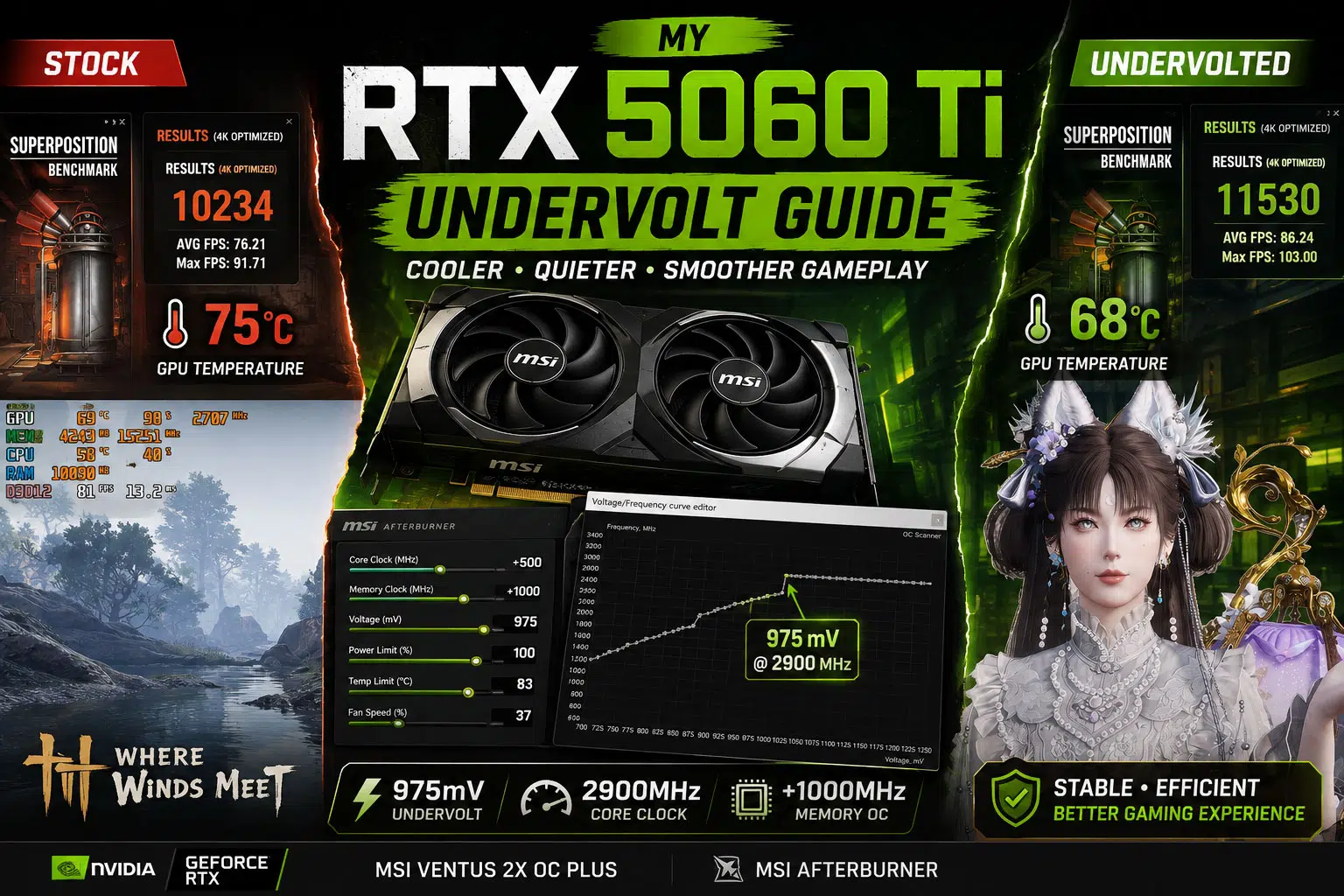
Considering NVIDIA’s newest mid-range graphics card? Check out our MSI GeForce RTX 5060 Ti Review, where we cover real-world gaming performance, temperatures, DLSS features, AI enhancements, and our successful undervolting results.

A powerful gaming PC also deserves a quality display. Our Best Gaming Monitors guide covers the top 1080p, 1440p, ultrawide, and high refresh rate monitors to help you get the most from your hardware.

Final Thoughts

The best CPU cooler 2026 isn’t necessarily the most expensive one. For most gamers, a premium dual-tower air cooler delivers the best balance of cooling performance, quiet operation, long-term reliability, and value. Unless you’re running a flagship processor under heavy workloads, there’s often little reason to spend significantly more on a high-end liquid cooler.

The Thermalright Phantom Spirit 120 SE remains our top recommendation thanks to its exceptional price-to-performance ratio, while the Noctua NH-D15 G2 is an excellent choice for enthusiasts who want premium build quality and whisper-quiet operation. If you’re building a workstation or using a Ryzen 9 or Intel Core Ultra 9 processor for video editing, 3D rendering, or AI workloads, the Arctic Liquid Freezer III Pro 360 offers outstanding cooling performance and extra thermal headroom.

Whichever cooler you choose, don’t overlook your fan settings. Even the best CPU cooler can perform poorly if your case fans aren’t configured properly. A free utility like FanControl allows you to create custom fan curves based on CPU or GPU temperatures, helping your fans ramp up only when needed. With a little tuning, you can lower temperatures during gaming while keeping everyday noise to a minimum.

Pairing a quality CPU cooler with good case airflow, high-quality thermal paste, and well-tuned fan curves will help your processor maintain higher boost clocks, reduce noise, and improve the overall lifespan of your gaming PC. It’s a relatively small investment that can make a noticeable difference every time you power on your system.

Disclosure: This article contains affiliate links. If you purchase through these links, we may earn a small commission at no additional cost to you. Your support helps us create more helpful guides and reviews.