With so many free tutorials available online, you might wonder whether buying one of the many Adobe Lightroom books is still worthwhile. The answer is yes. While YouTube is excellent for learning individual techniques, a good book teaches Lightroom as a complete workflow. Instead of jumping between unrelated videos, you’ll learn how importing, organizing, editing, exporting, and backing up your photographs all fit together.
A great photograph doesn’t always end when you press the shutter. For many photographers, that’s where the creative process really begins. Adobe Lightroom has become one of the most popular photo editing applications thanks to its powerful editing tools and efficient photo management. Whether you shoot portraits, landscapes, wildlife, travel, or street photography, Lightroom helps you transform RAW files into polished images while keeping your growing photo library organized.
If you’re looking for the best Adobe Lightroom book, this guide features some of the best Adobe Lightroom books for beginners and experienced photographers alike. These titles will help you build confidence, improve your editing workflow, and get more from Lightroom Classic. If you’re growing your photography library, you may also enjoy our guide to the types of photography books, which explores other photography books worth adding to your collection.
Why Adobe Lightroom Books Are Still Worth Reading
Photography books encourage a slower and more thoughtful way of learning. Rather than rushing through short tutorials, you can work through each chapter at your own pace and revisit important topics whenever you need a refresher. Many photographers find that concepts they struggled to understand in videos become much clearer when explained through a structured book.
One of the biggest advantages of Adobe Lightroom books is that they cover the complete editing workflow instead of focusing on isolated features. You’ll learn how to build a catalog, organize images with collections and keywords, make global and local adjustments, use masking tools, export photos for different platforms, and back up your image library. These are skills you’ll continue using long after you’ve finished reading the book.
Although Adobe regularly updates Lightroom Classic with new AI-powered features and editing tools, the fundamentals remain the same. Understanding exposure, white balance, color grading, masking, and non-destructive editing will improve your photography regardless of future software updates.
Lightroom is only one part of becoming a better photographer. Editing works hand in hand with composition, lighting, and visual storytelling. If you’d like to expand your editing knowledge beyond Lightroom, check out our guide to the top photo editing books, where you’ll discover additional books covering Photoshop, Capture One, and professional editing techniques.
Which Adobe Lightroom Book Should You Buy?
Choosing the best Adobe Lightroom book depends on your experience level and learning style. If you’re completely new to Lightroom Classic, Adobe Photoshop Lightroom Classic Classroom in a Book remains the best place to start thanks to its structured lessons, official Adobe content, and hands-on exercises that guide you through the software step by step.
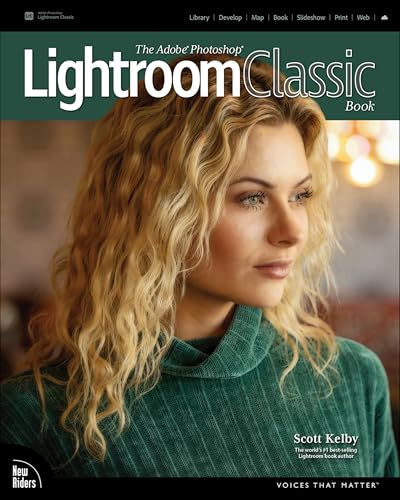
If you’re already familiar with Lightroom and want to edit more efficiently, Scott Kelby’s practical workflow-focused guide is an excellent choice. Photographers looking for more advanced techniques will appreciate Martin Evening’s comprehensive reference, which explores Lightroom Classic in much greater depth. No matter which of these Adobe Lightroom books you choose, each one will help you become a faster and more confident photo editor.
The goal isn’t simply to learn where every slider is located. It’s about developing an editing workflow that feels natural, efficient, and repeatable every time you import photos from your latest shoot.
Final Thoughts
The best Adobe Lightroom book is more than just a software manual. It becomes a valuable reference that helps you organize your photos, edit with confidence, and develop a consistent workflow as your photography skills grow. If you shoot with a Fujifilm camera, you can take your editing even further with our ShutterGroove Master The Look e-book. It features a collection of custom film simulation recipes inspired by classic film stocks and cinematic color grading, helping you create beautiful JPEGs straight out of the camera while reducing the amount of editing needed in Lightroom.
For beginners, Adobe Photoshop Lightroom Classic Classroom in a Book remains the strongest recommendation thanks to its clear lessons and practical approach. Scott Kelby’s guide is perfect for photographers who want to speed up their editing process, while Martin Evening’s book is ideal for anyone looking to master Lightroom Classic at an advanced level.
Pair one of these Adobe Lightroom books with a fast SSD, a calibrated monitor, and a comfortable editing workspace, and you’ll have everything you need to enjoy editing while continuing to improve as a photographer. As you expand your photography library, don’t forget to explore our guides to the types of photography books and the top photo editing books for even more learning resources.